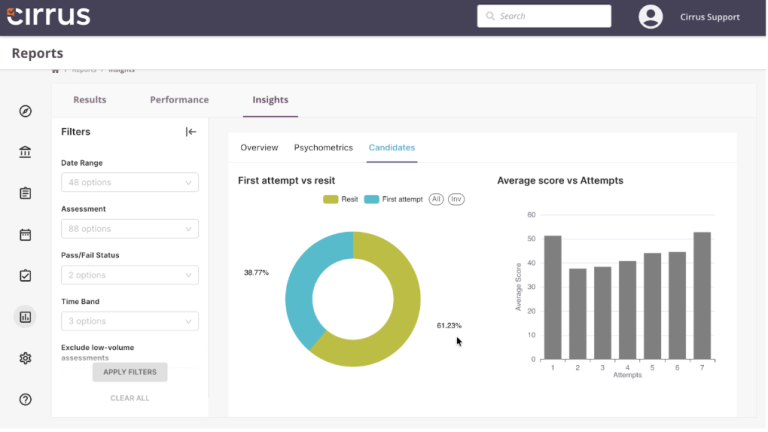
Hello, Cirrus users! We’re back with another exciting update. This past month, we’ve completely overhauled the Cirrus marking tool, making an already exceptional tool even more powerful and user-friendly. Now, you can customise marking to perfectly fit your curriculum, provide detailed feedback to help test-takers learn from their mistakes, and collaborate seamlessly with colleagues to improve marking quality.
As we look forward to August, we’re excited to announce improvements in item creation that will streamline your item creation process, enhance collaboration, and ensure accountability and compliance. Stay tuned for even more exciting enhancements, including AI-automated item generation coming in September!
A Quick Look Back: Marking
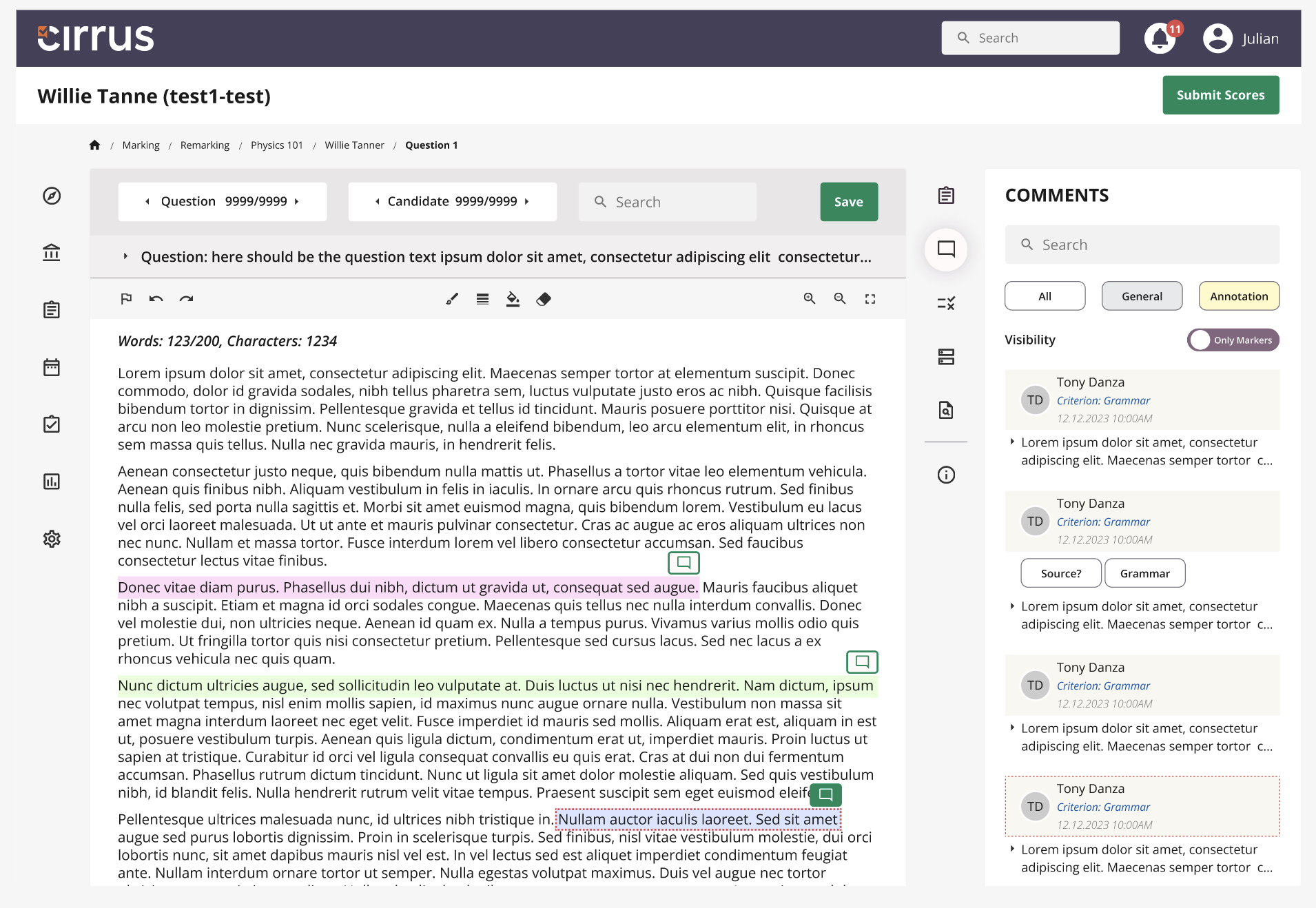
Let’s take a quick look back at the most important changes to the Cirrus Marking Tool in July:
- Flexible marking options: Customise marking to fit your curriculum.
- Help test-takers learn from their mistakes: Annotate text, link annotations to criteria, and record audio or video files for clear and detailed feedback.
- Work together: Share and comment on assessments with colleagues for improved quality through teamwork.
- Stay on top of your deadlines: Toggle between viewing by candidate or question with a simple dropdown search to instantly see what needs marking and monitor your progress.
- Quick navigation: Navigate efficiently and save time with new shortcuts.
Please refer to our June blog for a full overview of the changes. These updates have made Cirrus (probably;) the best marking tool available today, streamlining your marking process for a more intuitive and efficient experience. And we’re not stopping now… while the rest of Europe is on holiday, we’re relentlessly enhancing Cirrus to make your lives easier!
What’s next: Item Creation
You’ll be happy to hear that making your lives easier is exactly what the improved Item Creation Side Panel is designed to do. The updates we’re releasing in August will help you organise your item bank more easily, enhance collaboration with colleagues and ensure accountability and compliance. Let’s have a look at what’s changing…
Item Overview Tab

The new Overview Tab provides useful statistics to help you make quick data-driven decisions about your items and assessments. The most crucial data is now right at your fingertips:
- Keep exams fair and balanced with ‘item difficulty’ stats.
- Avoid item overexposure with ‘item usage metrics’.
- Plan exam durations more effectively with ‘average time spent on items’.
- Reduce the risk of cheating by identifying familiar items with the ‘last usage date’ metric.
Of course, full item and assessment statistics remain available in the Statistics Tab as always.
Tags
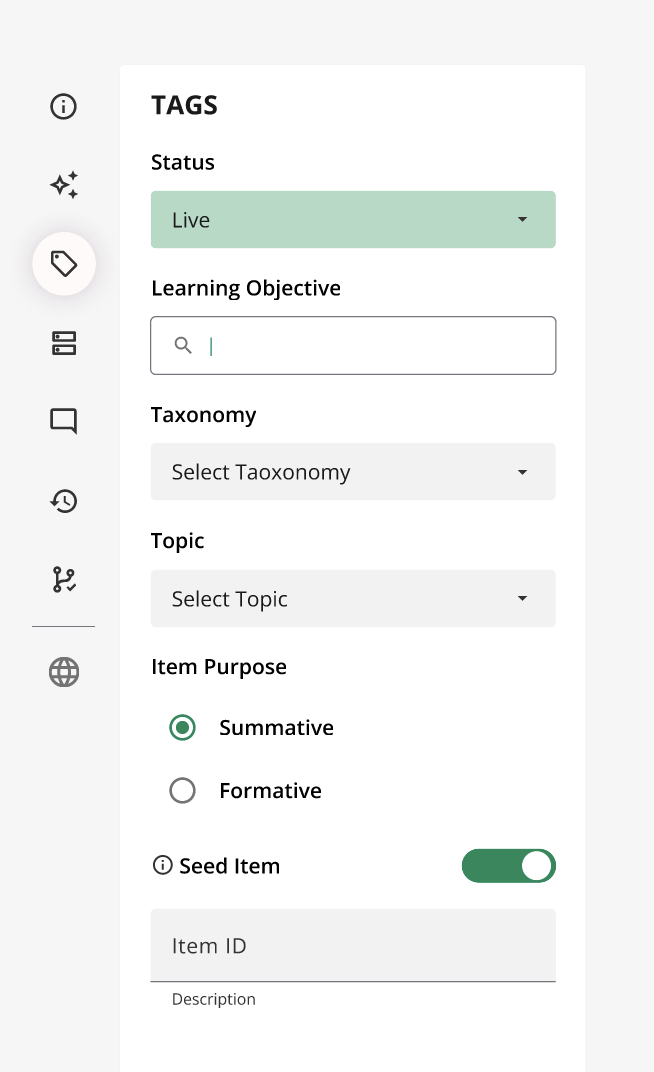
We’re also improving the Tagging Tab: Essential for organising your items in Cirrus, tags like learning objectives, taxonomies, topics, and other parameters enable efficient filtering and searching of items.
Most importantly, tagging is crucial for creating exam blueprints. By linking learning objectives or taxonomies to items, you can set specific criteria during the exam creation process. You can then use exam blueprints to ensure that every exam is balanced, covering the exact subjects and learning depth required. What’s more, by combining blueprints with Linear On the Fly Testing, you can prevent cheating by ensuring each student receives a different yet balanced exam. Tags are the cornerstone for delivering fair, balanced, and secure exams.
Comments

We’ve also made collaboration easier with the enhanced comments feature in Cirrus, improving teamwork and assessment quality. Multiple colleagues can now work on the same item simultaneously, fostering real-time discussion and commenting on revisions. This feature allows you to discuss changes, such as adding alternatives or modifying the item’s stem, with your co-authors. You can see who made each change and when, streamlining the collaborative process and ensuring clarity in the development of assessment items.
Revision History
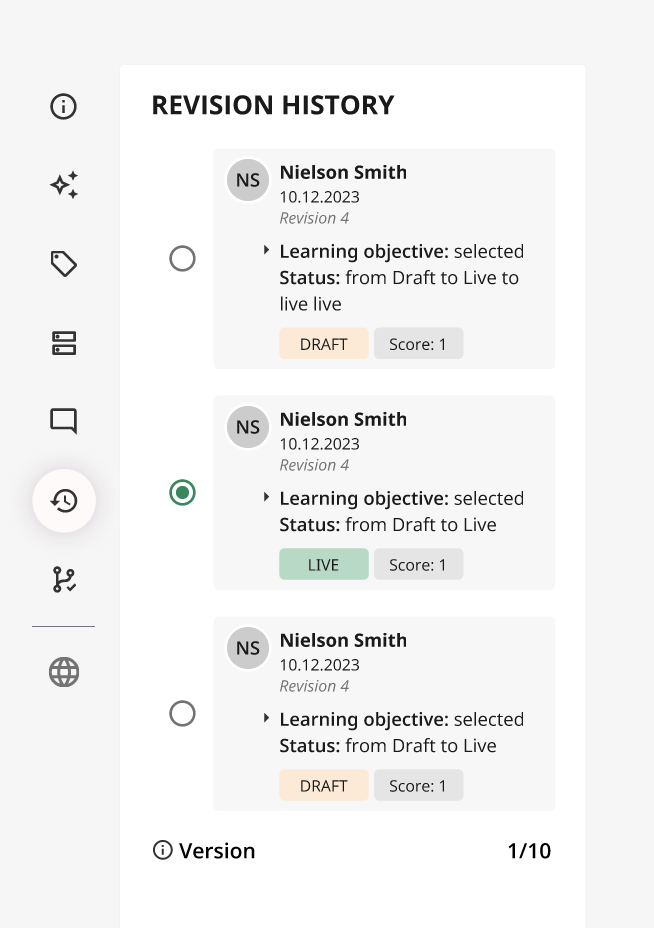
You can now easily review the complete history of an item’s development with the revision history feature, ensuring accountability and compliance. Every change, whether it’s adjusting the item’s status, adding a learning objective, or modifying the score, is logged. The revision history shows who made each change and exactly what was altered. This transparency allows you to track all modifications, making it simple to manage revisions and maintain a clear record of an item’s evolution.
Looking Ahead
We believe these updates will streamline both your marking and item creation processes, enhancing collaboration, providing real-time insights, and offering flexible options to make your assessments more effective and efficient. We’d love to hear your feedback and any questions you may have, so please get in touch!
AI Item Generation
And we’ve got even more exciting improvements coming in September!
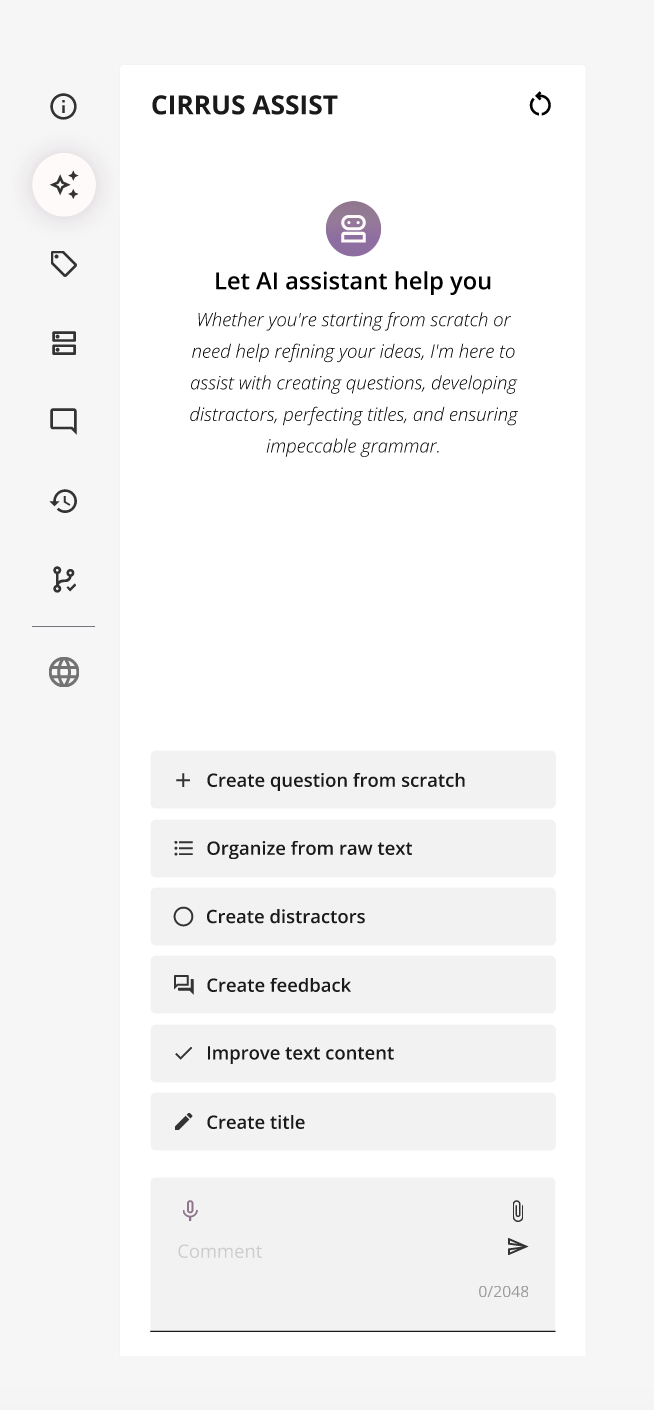
We know item creation can be costly and time-consuming, but imagine combining our powerful e-assessment platform with AI. Introducing AI item generation: You’ll be able to create questions from scratch using your specific curriculum, generate distractors for multiple-choice questions, enhance existing items, and more—all within Cirrus. Sound good? Stay tuned…
Not using Cirrus yet but feeling the FOMO after hearing about these updates? Reach out for a Cirrus demo and experience the difference!